
ID Card Resizer Online (85.6 × 54 mm)
Resize your ID card image to the exact standard card size, 85.6 × 54 mm at 300 DPI, in millimetres, inches or pixels.
More Free ID Card Tools
Browser-side processing. Your files stay private.
Image & Security Utilities
⭐ Free Online ID Card Resizer · Fast, Safe & Mobile Friendly
Your card photo is sitting in the gallery, and now a print shop wants it at exact card size, or a form asks for a specific image size. A photo straight from the camera is usually far too big, and it is rarely in the proportion of a real card.This free tool resizes your ID card image to the exact size you choose. It starts with the standard card size of 85.6 × 54 mm, so the result matches a real card when printed. Everything runs in your browser, so your image stays on your phone or computer.
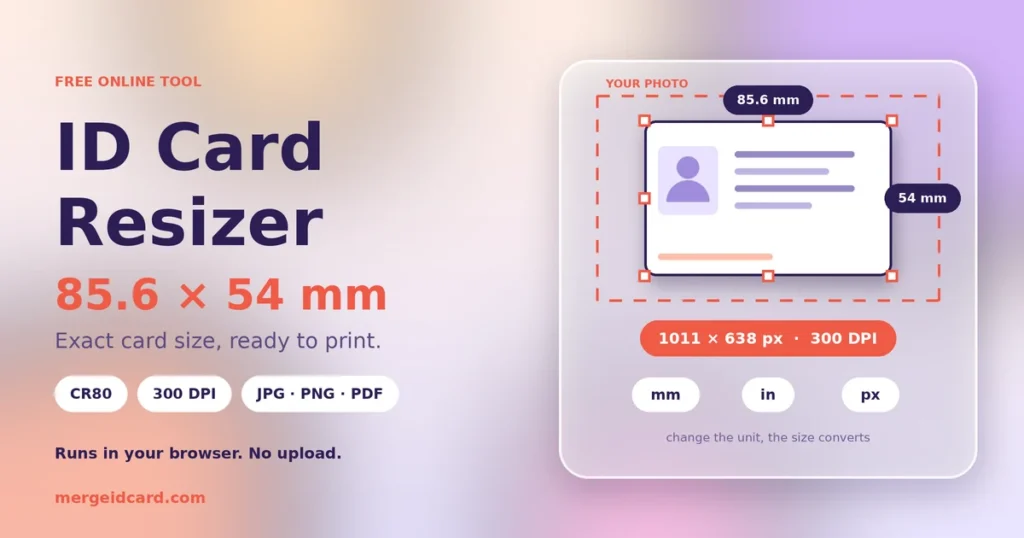
Quick answer: A standard ID card measures 85.6 × 53.98 mm (3.37 × 2.125 in). At 300 DPI that is 1011 × 638 pixels. Upload your image, keep the default preset, and download.
The standard ID card size
Most ID cards, bank cards and driving licences follow the ISO/IEC 7810 ID-1 size. Printers and card makers often call the same size CR80. The two differ by a fraction of a millimetre, which makes no practical difference for a printout.
| Unit | Size |
|---|---|
| Millimetres | 85.6 × 53.98 mm (usually written 85.6 × 54 mm) |
| Centimetres | 8.56 × 5.4 cm |
| Inches | 3.37 × 2.125 in |
How many pixels is that?
Pixels depend on the resolution (DPI) you pick.
| Resolution | Pixels for a standard card | Good for |
|---|---|---|
| 300 DPI | 1011 × 638 | Printing, where small text must stay sharp |
| 150 DPI | 506 × 319 | Screen use and smaller files |
| 96 DPI | 324 × 204 | Web thumbnails |
If you choose pixels as the unit, the tool uses your exact numbers and ignores DPI.
Resize your ID card image in four steps
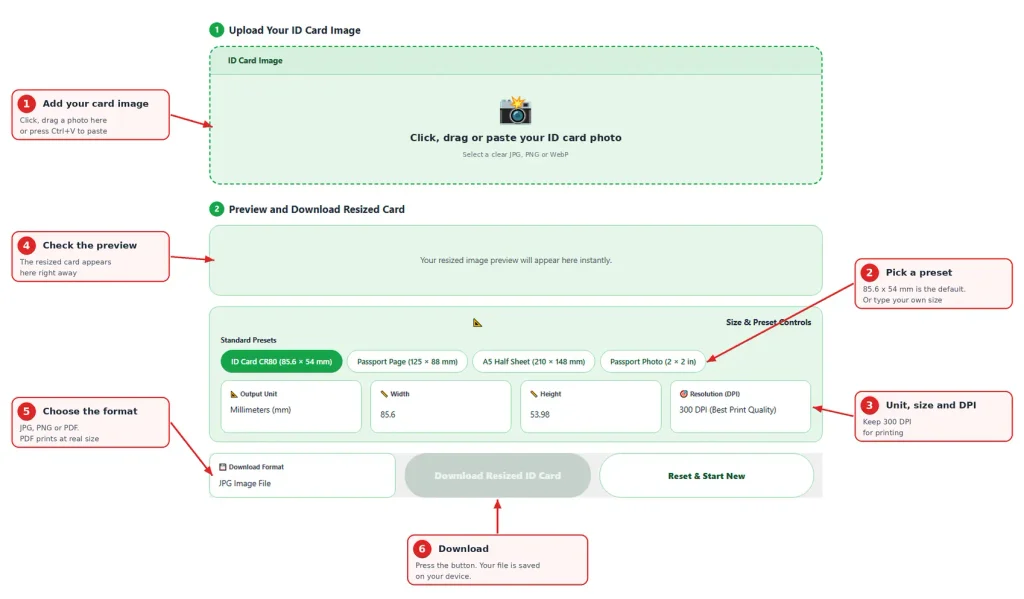
- Add your card image. Click the box, drag a file in, or paste with Ctrl+V.
- Pick a preset or type your own width and height. The unit can be millimetres, inches or pixels.
- Choose the resolution. Leave it at 300 DPI for printing.
- Check the preview, choose JPG, PNG or PDF, and press Download Resized ID Card.
What happens to your photo
This part matters, so here is exactly how it works. The tool fits your image inside the size you chose. It does not stretch it, and it does not cut parts off. If your photo has a different shape than the card, the leftover space is filled with white.
That has one practical consequence. If your photo shows the card on a desk with a lot of background around it, the card will appear small inside the frame. So crop first, then resize:
- Crop your photo tightly around the card in your phone gallery
- Make sure all four corners of the card are inside the crop.
- Then upload it here and download.
Presets and what they are for
| Preset | Size | Typical use |
|---|---|---|
| ID card (CR80) | 85.6 × 53.98 mm | Cards, licences, wallet copies |
| Passport page | 125 × 88 mm | The data page of a passport booklet |
| A5 half sheet | 210 × 148 mm | A larger copy on half an A4 page |
| Passport photo | 50.8 × 50.8 mm (2 × 2 in) | Photo size used by some forms |
Printing at the right size
If you need the printout to match a real card, choose PDF and print at Actual size or 100%. A JPG or PNG has the right number of pixels, but printing programs sometimes place it at a different physical size, so check the size in the print dialog.
Getting a sharp result
- Start with the best photo you have. Resizing cannot add detail that was never in the picture.
- A small, blurry photo will not become sharp at 300 DPI. Retake it closer and in daylight.
- For printing, your original should be at least 1011 pixels wide.
- Avoid heavy filters before resizing.
Is it safe to resize an ID card image online?
Your image is processed inside your browser and is not sent to our server. You can test this yourself. Open the page, switch off your internet and resize a JPG. The PDF option fetches a small helper file the first time you use it, so test with JPG or PNG.
An ID image still carries personal details, so delete downloaded copies from shared computers.
Common problems
- White bars appear above or below the card. Your photo is a different shape than the card. Crop it tightly around the card first.
- The card looks tiny in the frame. There is too much background around it. Crop closer.
- The text looks soft. The original photo has low resolution. Retake it.
- The printout is the wrong size. Use the PDF and print at Actual size.
Frequently Asked Questions
85.6 × 53.98 mm, or 3.37 × 2.125 inches. It is usually rounded to 85.6 × 54 mm.
CR80 is the trade name card printers use for the standard card size. It is almost identical to the ISO ID-1 size.
About 1011 × 638 pixels.
No. It fits your image inside the chosen size without stretching it. Leftover space is filled with white, so crop around the card first.
No. The resizing happens in your browser. Only the PDF option fetches a small helper file from a public library the first time, and your image is not part of that request.
Yes. Change the unit and the numbers convert automatically, so the physical size stays the same. You can then type your own width and height.
Shrinking a large photo keeps it sharp. Enlarging a small photo cannot add detail, so a low-resolution photo will look soft.
This tool handles one image at a time. To put both sides on one page, use our merge tool.
Yes. Tap the box and pick a photo from your gallery or take a new one.