Blur or Black Out ID Card Details Online
Draw a box over the ID number, date of birth, address or signature on your card photo, and hide it with a solid black box, blur or pixels.
Tip: for ID numbers, use the solid black box. Blur and pixels hide the detail too, but a solid box is the only style that leaves nothing behind. Cover QR codes and barcodes as well, since they can hold the same details.
More Free ID Security & Document Tools
Browser-side processing. Your files stay private.
Privacy & ID Utilities
⭐ Free Online ID Blur & Redact Tool · Protect Your Privacy
You need to send a copy of your ID card, but the person asking only needs to see your name and photo. The ID number, date of birth and home address are none of their business, and once a copy is out, you cannot take it back.This free tool hides those details. Draw a box over each part you want covered, choose a solid black box, blur or pixels, and download the result. Everything runs in your browser, so your photo is not uploaded.
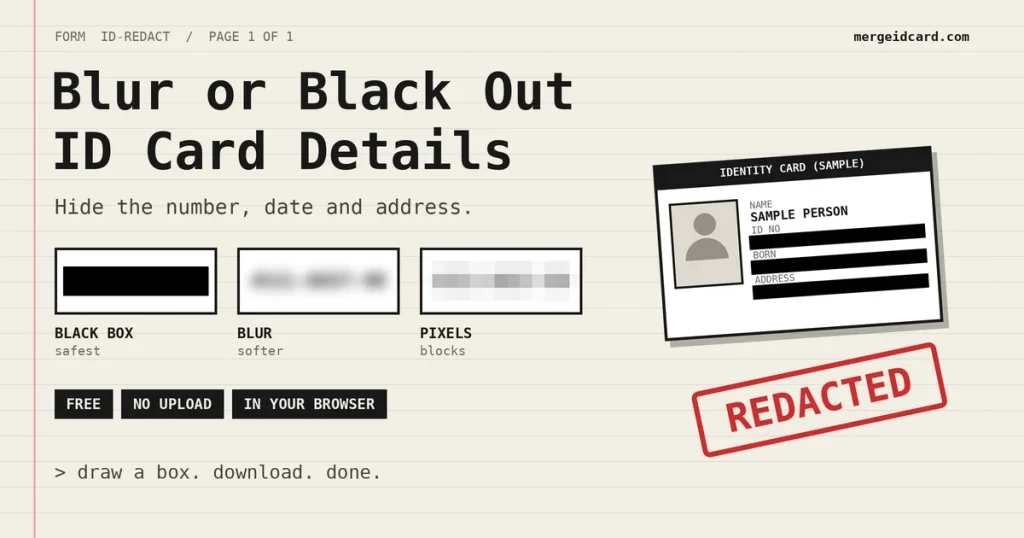
Which style to use
| Style | How it looks | How safe | Best for |
|---|---|---|---|
| Solid black box | A flat black rectangle | Leaves nothing behind | ID numbers, dates, addresses, signatures |
| Strong blur | Soft smudge | Hides the detail, but a smudge is softer than a block | Photos, logos, anything that needs a gentler look |
| Pixelated blocks | Large squares | Hides the detail with big blocks | Areas where you want to show “something was hidden” |
If in doubt, pick the black box. It is the only style where nothing of the original remains underneath.
How to Blur ID Card Details in four steps
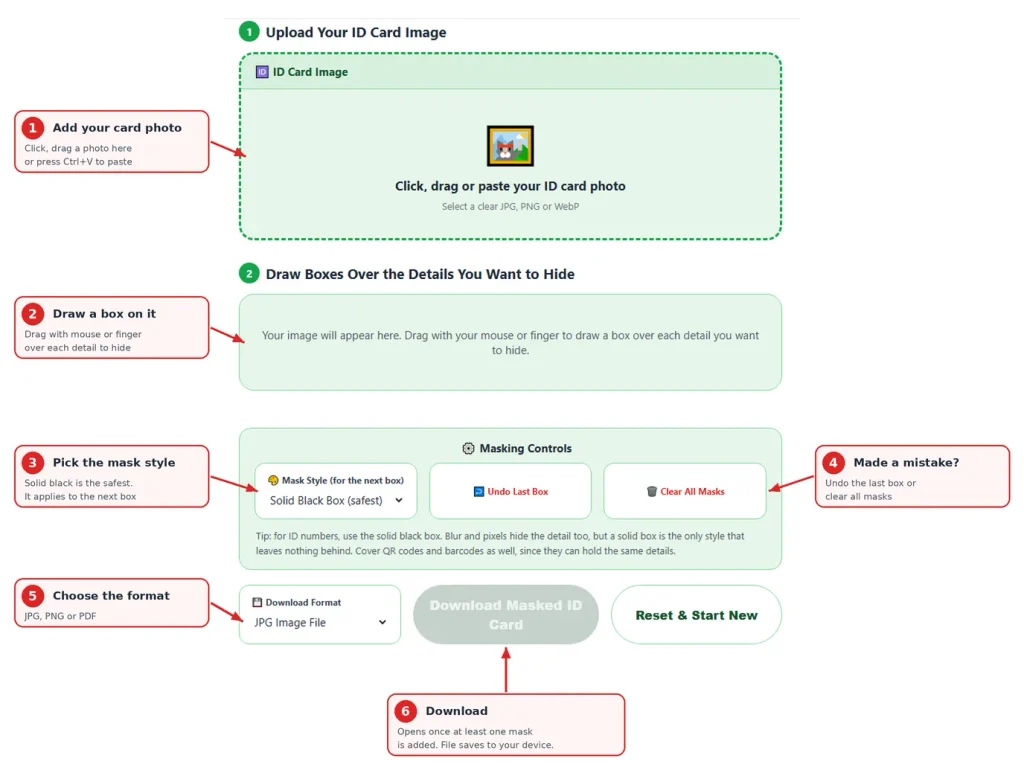
- Add your card photo. Click the box, drag a file in, or paste with Ctrl+V.
- Choose a mask style, then drag with your mouse or finger to draw a box over a detail. Draw one box per detail.
- Look at the status line and the preview. Made a mistake? Press Undo Last Box.
- Choose JPG, PNG or PDF and press Download Masked ID Card.
What people usually hide
| Detail | Why it is sensitive |
|---|---|
| ID or card number | Used to identify you in many systems |
| Date of birth | Often used to verify your identity |
| Home address | Tells people where you live |
| Signature | Can be copied |
| Family or relative’s name | Reveals more about you than needed |
| QR code or barcode | Can hold the same details as the printed text |
Cover the QR code and barcode too. If you hide the number but leave the code, the detail may still be readable by anyone who scans it.
Should you mask at all?
Masking is not right for every request. Some organisations, such as banks and regulated services, need to see the full number to verify you, and a masked copy may be rejected. Others only want to confirm your name and photo.
| Who is asking | Usual approach |
|---|---|
| Bank, telecom, official KYC | Full copy, with a watermark for purpose and date |
| Landlord, rental or booking service | Often fine with details hidden, ask first |
| Employer or HR | Ask what they need, then decide |
| Online seller, forum or chat group | Share as little as possible, hide everything except what they asked to see |
When unsure, ask the receiver one short question: “Which details do you need to see?” That answer decides what to hide.
Draw boxes the right way
- Make the box a little bigger than the text. Cover the whole number with some margin, not just most of it.
- Zoom into the preview and check every character you meant to hide.
- Use more than one box if a detail sits in two places, such as a number printed on the front and again on the back.
- Open the downloaded file and look at it once, not only the preview.
- Keep the original somewhere private. The masked copy is the one you share.
Using it on a phone
Drag with one finger to draw a box. While your finger is on the picture, the page will not scroll, so touch the margin outside the image to scroll. A bigger screen or a landscape view makes small text easier to cover precisely.
Is it safe?
Your photo is processed inside your browser and is not sent to our server. You can test this yourself. Open the page, switch off your internet and mask a JPG. The PDF option fetches a small helper file the first time, so test with JPG or PNG.The file you download is a new image created in your browser. Details stored inside the original photo, such as camera information or location, are not copied into it.
Limits to keep in mind
Hiding the ID number does not make you anonymous. Your name, photo and any other visible details still identify you. Masking reduces what you hand over, it does not remove all risk. Every office decides what it accepts, so follow its instructions.
When something looks wrong
- The download button is grey. You have not added a mask yet. Draw at least one box.
- The box is in the wrong place. Press Undo Last Box and draw it again.
- I cannot scroll on my phone. Touch the area outside the picture, then scroll.
- The text is still readable. The box did not cover it fully. Undo it and draw a larger one, or switch to the solid black box.
Frequently Asked Questions
Yes. It is free and needs no sign-up.
No. The masking happens in your browser. Only the PDF option fetches a small helper file from a public library the first time, and your image is not part of that request.
The solid black box. It covers the detail completely. Blur and pixels also hide it, but they are softer.
No. The download is a new image in which those pixels are replaced. Nothing is hidden underneath.
Yes, if you want those details hidden. A code can hold the same information as the printed text.
Some do and some do not. Banks and official verification often need the full number. Ask the receiver first.
Yes. Press Undo Last Box, or Clear All Masks to start over.
Yes. Drag with your finger to draw a box. Touch outside the picture to scroll.
No. The download is a new image, so camera and location details from the original photo are not copied into it.